
Visualization / Formatting
Colors and Color Schemes
Choose a report colour scheme, edit the palette, and keep each member in the same colour across charts and filters.
Chart colours come from the page palette: Page → Style → Chart palette. A chart uses the palette in order, unless it has its own series colours, a Color field or conditional colours.
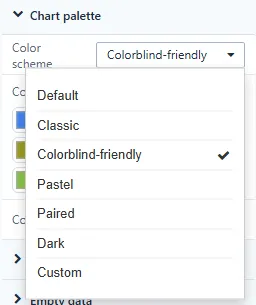
Color scheme
| Scheme | Colours | Use it for |
|---|---|---|
| Default | 20 | The standard Datafor palette. |
| Classic | 10 | Familiar, balanced hues. |
| Colorblind-friendly | 8 | Colours that stay distinguishable for readers with colour-vision deficiency. |
| Pastel | 12 | Light, low-contrast pages. |
| Paired | 12 | Pairs of light and dark shades, for related series. |
| Dark | 8 | Saturated colours. It does not make the page dark. |
| Custom | – | Shown when you edit the colours by hand. |
Choosing a scheme fills the Colors palette (20 swatches; shorter schemes are extended with lighter shades). You can still change single swatches afterwards.
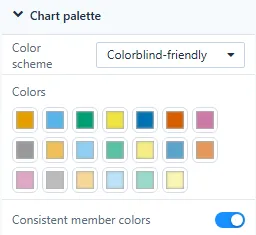
In 10.00 the swatches can keep showing the previous scheme until you reopen the report; the charts already use the new colours.
New reports start with the scheme set in Settings › General › System configuration › Reports › Default color scheme.
Consistent member colors
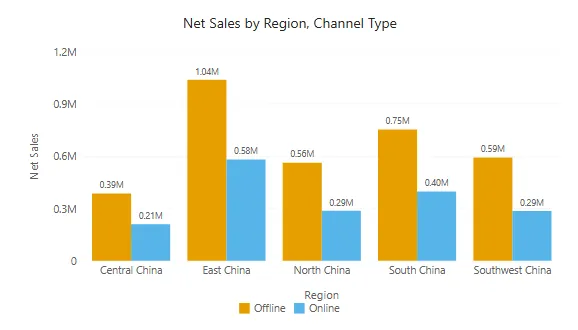
With Consistent member colors on, a member keeps the same colour in every chart on the page, also after filtering and sorting: Online is the same blue in the column chart, the pie and the line chart.
- On by default in new reports, off in reports created before 10.00.
- Colours are recorded while you edit, in the order members first appear, up to 50 members per field. Members beyond that get a fixed colour derived from their name, which also stays the same when filters change.
- After you change the scheme or a swatch, recorded members are moved to the new colour at the same position.
- Colours set on the component itself, a Color field and conditional colours take priority.
Gradient presets
The conditional colour dialogs have a Preset list for gradients: Blues, Greens, Oranges and Purples, plus four diverging presets in tables and pivot tables. See Conditional Formatting.
Related: Page Settings · Legends